- Why absent alerts are a safety issue, not an admin issue
- Anatomy of a good absent alert: the 7-point checklist
- 4 ready-to-use absent alert templates
- The 5-step same-day workflow
- Manual calls vs bulk WhatsApp vs automated, compared
- The no-reply escalation ladder
- 5 mistakes schools make with absent alerts
- Your one-week launch checklist
- Frequently asked questions
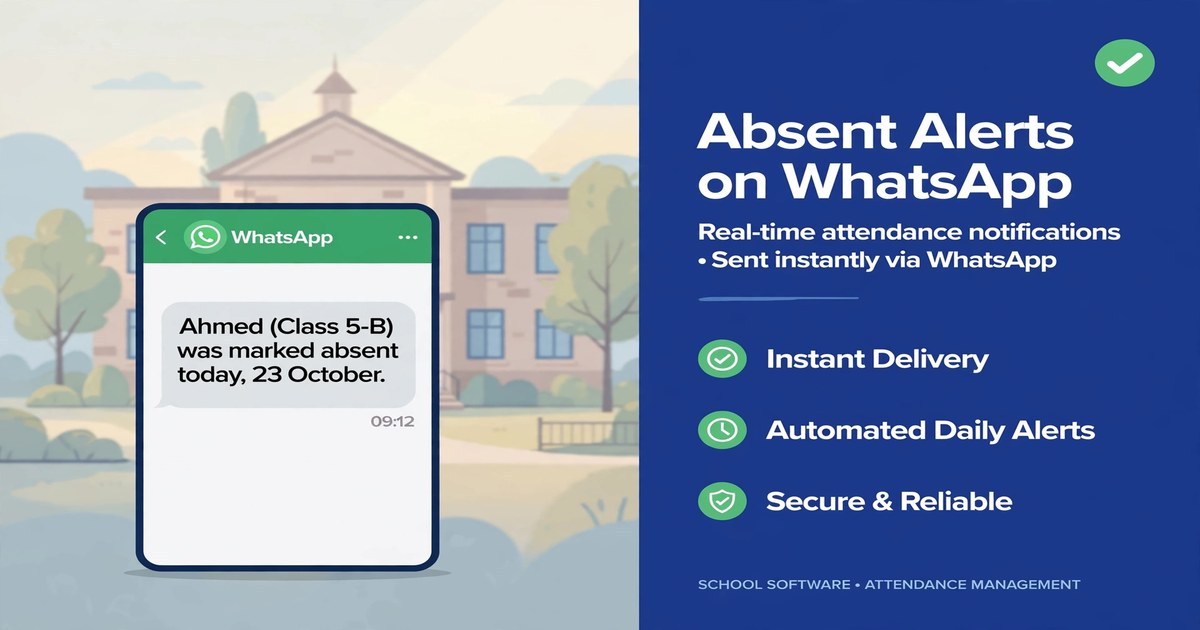
Most schools learn of an absence when the register reaches the office; most parents learn when the child comes home. The gap in between is where child safety lives. Sending absent alerts to parents on WhatsApp closes it: the teacher marks attendance on the phone, the parent gets a private message within minutes, and the reply is recorded against the student. This playbook covers what every alert must contain, the same-day workflow, four copy-ready templates, and the escalation ladder for parents who never reply.
Why absent alerts are a safety issue, not an admin issue
Three kinds of absence need three kinds of urgency:
- Prior leave. The parent already informed the school; a courtesy confirmation.
- Known but unreported. The child is home sick; the school just needs the reason recorded.
- Unknown absence. The child left for school but was marked absent, and nobody knows where they are. This is the case every absent alert is built for, and it needs action within the hour.
Alerts also remove the morning phone tree: instead of calling parents one by one for a full period, one automatic message does the job.
Anatomy of a good absent alert: the 7-point checklist
Every template should carry all seven:
- School name and identity. From the school's own verified WhatsApp number; unknown numbers get deleted as spam.
- Student name and class. Full name plus class and section.
- The date. "Absent today, [date]", never just "absent".
- The absence type. Absent, late arrival, or early pick-up, each with its own template.
- A reply option. One word or number back: aware, or unaware and worried.
- A school contact number. One number named in the message to call immediately.
- Private delivery. One-to-one to the registered parent number. Never a class group.
Absence details are personal information about one child. Posting "the following students were absent today" in a class WhatsApp group exposes every named child to dozens of other families. Absent alerts are always private messages, one parent at a time.
4 ready-to-use absent alert templates
Copy these into your WhatsApp template list, adjusted with your school name:
"Good morning. This is [School Name]: [Student Name] of [Class] was marked ABSENT today, [Date]. If you are aware of the absence, please reply with the reason. If this is unexpected, call [school number] immediately."
"Good morning. This is [School Name] confirming that [Student Name] of [Class] is on approved leave today, [Date]. No action needed. Please reply if this does not match your plans."
"Good morning. This is [School Name]: [Student Name] of [Class] arrived late today at [time] and is marked present from period [N]. If this surprises you, call [school number]."
"Hello. This is [School Name]: [Student Name] of [Class] was picked up early today at [time] by [authorised person]. If you did not authorise this, call [school number] immediately."
The 5-step same-day workflow
Each step has an owner:
- Teacher marks attendance in the first period. On the phone, per student. The register is no longer paper that reaches the office at noon.
- Alerts fire automatically. Every absent student's parent gets the private WhatsApp alert the moment attendance is saved. The office retypes nothing.
- Parent replies land against the student. "Aware, sick" is recorded with a timestamp, so the teacher sees which absences are explained and which are not.
- Office reviews the unexplained list mid-morning. One screen with every absence lacking a reply or approved leave.
- End of day: log and review patterns. A child absent every Monday, a class with climbing absences, a parent who never replies.
Manual calls vs bulk WhatsApp vs automated, compared
Three stages on the way to reliable alerts:
| Manual phone calls | Bulk WhatsApp (forwarding) | Automated attendance alerts | |
|---|---|---|---|
| Speed | 30-90 minutes to reach all parents | Minutes, sent one by one | Minutes, automatically |
| Staff time | A full first period of calling | 20-40 minutes of forwarding | Zero after attendance is marked |
| Accuracy | Wrong numbers, misheard messages | Wrong child to wrong parent is common | Matched to the registered parent number |
| Replies | Handled live, hard to track | Scattered across personal chats | Logged against the student with timestamps |
| Privacy | Safe, one call at a time | Easy to forward into a group | Private messages by design |
The no-reply escalation ladder
Silence is not confirmation:
- +60 minutes: second message. "We have not heard from you. Please confirm [Student Name] of [Class] is safe. Reply AWARE or call [number]."
- +90 minutes: call the primary contact. Logged with time and outcome.
- +120 minutes: call the secondary contact. The second number on file.
- End of morning: emergency contact. The school's safeguarding procedure takes over.
Known-leave absences never enter the ladder. Every step is logged with a timestamp, so the school always has a record of what it did.
5 mistakes schools make with absent alerts
- Alerting from a personal number. Parents reply at midnight and the school owns no record. Use the school's own number.
- Sending the alert at the end of the day. An absence report at 4 PM is a formality; an alert at 9 AM is a safety measure.
- Stale parent numbers. Verify each registered WhatsApp number every term. An alert to a disconnected number was never sent.
- Treating late arrivals as absences. Wrong classification triggers the whole ladder over nothing.
- Never reviewing patterns. A five-minute monthly review catches truancy trends while they are still cheap to fix.
Your one-week launch checklist
- Day 1: clean the contact list. Parent mobiles, duplicates removed, country codes added, bounced numbers flagged.
- Day 2: ready the school's WhatsApp number. The school's own verified business number as sender, never a staff member's personal account.
- Day 3: load the templates. The four templates above with your school name and number.
- Day 4: train teachers. One 15-minute session: mark attendance on the phone in the first period.
- Day 5: soft launch with two classes. Run for one week, fix wrong numbers, adjust timing, then switch on the whole school.
Frequently asked questions
How quickly should a school send an absent alert to parents?
Within the first hour. Automated systems send the alert within minutes of attendance marking, so the parent finds out before the second period.
What should an absent alert message to a parent include?
School name, student name and class, the date, the absence type, one reply option, and a school contact number, sent as a private individual message, never to a class group.
Should absent alerts go to a WhatsApp class group?
No. They are personal information about one child and must go as private one-to-one messages to the registered parent number.
What should a school do when a parent does not reply to an absent alert?
A second message after an hour, then calls to the primary contact, the secondary contact, and finally the emergency contact, every step logged.